
Android emulator for iPhoneA real Android phone in Safari, nothing to install.
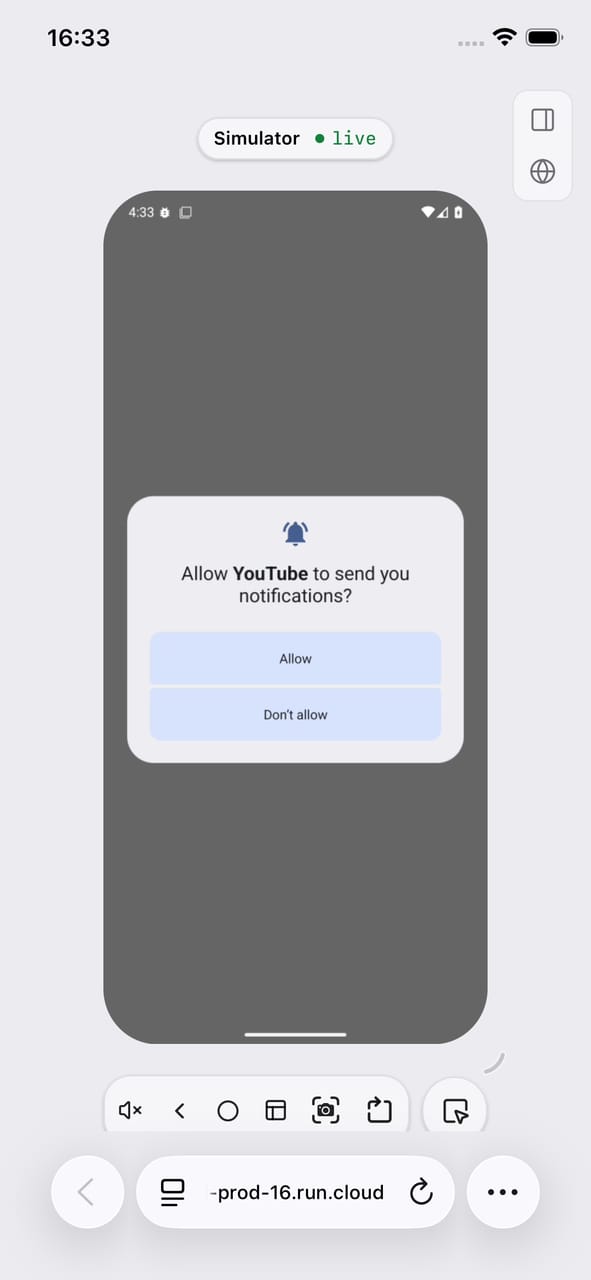
An iPhone cannot install Android apps, but it can show a cloud Android emulator. Run Cloud runs a Pixel emulator on Android 16 and streams it to Safari: sign in on your iPhone, tap Start Android, and use the phone in the page. Install your APK or open a website, and pay $0.02 per active minute, starting with $5 free and no card.
| Runs in | Safari on your iPhone, nothing to install (tested on iOS 26.5, 2026-11-24) |
|---|---|
| Device | A Pixel emulator on Android 16 (API 36) |
| Apps | Your own APK, up to 90 MiB. No Play Store |
| How you control it | Tap and swipe the screen in Safari |
| Price | $0.02 per active minute |
| To start | $5 of usage with no card, then $15 free every month once you add one |
Published 2026-11-24 · Updated 2026-11-24
How to run Android on your iPhone
- In Safari on your iPhone, create a Run Cloud account. It is free to start and asks for no card.
- Open Simulators in the dashboard and tap Start Android.
- The emulator opens in the page. Tap to tap, swipe to swipe. In Safari, the first connection shows a red connection message for about 20 seconds before the screen goes live, so keep the page open.
- To try your own app, install an APK from the Files app in the session panel. To check a website, use Open URL; the first time, Chrome shows its welcome screen, where you can tap Use without an account.
- Tap Release simulator when you are done, and billing stops with it. Closing the page does not stop it, but an idle session ends on its own after 5 minutes without input, and a dashboard session lasts 30 minutes at most.
What you can and cannot do
From your iPhone
- Tap, swipe and scroll the Android screen right in Safari.
- Install your own APK from the Files app, up to 90 MiB.
- Open a website on Android to see how it looks and behaves there.
- Open the same session from a computer too, or drive it from the CLI, SDK or an AI agent.
Not today
- Install Android apps on the iPhone itself. iOS cannot install APKs, so the emulator runs in the cloud and Safari shows its screen.
- Download apps from the Play Store. The image has Google APIs but no Play Store, so you install APK files.
- Work offline. It is a live stream, so it needs a steady connection.
- Pick another Android version yet. Every session runs Android 16 (API 36).
What it costs
$0.02 per active emulator minute. A new account gets $5 of usage with no card, which is 250 minutes. Add a card and the first $15 of usage is free every month, up to 750 minutes.
On a computer instead? Read Android emulator online for the CLI and scripting side. Want the reverse, an iPhone on Windows or Android? The iPhone simulator online runs on the same account.
Run Cloud pricingFrequently asked questions
Can I run an Android emulator on an iPhone?
Not as an app on the phone: iOS cannot install Android apps (APK files). What works is a cloud emulator. Run Cloud runs a Pixel emulator on Android 16 on a server and streams it to Safari, so you tap and swipe it like a remote phone.
Do I need to install anything on my iPhone?
No. You sign in to run.cloud in Safari, tap Start Android, and the emulator opens in the page. There is no App Store app and no profile to install.
Can I install my own Android app?
Yes. In the session panel, install an APK from the Files app, up to 90 MiB. It must support Android 16 and the x86_64 CPU architecture.
Can I play Play Store games on it?
No. There is no Play Store on the image, and a streamed emulator is built for testing apps and websites, not for gaming.
Is it free?
A new account gets $5 of usage with no card, which is 250 emulator minutes at $0.02 a minute. Add a card and the first $15 of usage is free every month.
Does it work on an iPad?
We tested it in Safari on an iPhone. iPad uses the same Safari engine and the same page, so it should behave the same way.
Open an Android phone on your iPhone.
Create an account in Safari, tap Start Android, and use it in the page. $5 of usage is on us, no card needed.